
New Feature
View Team Members’ Attendance in “Attendance per Day” Report
Description
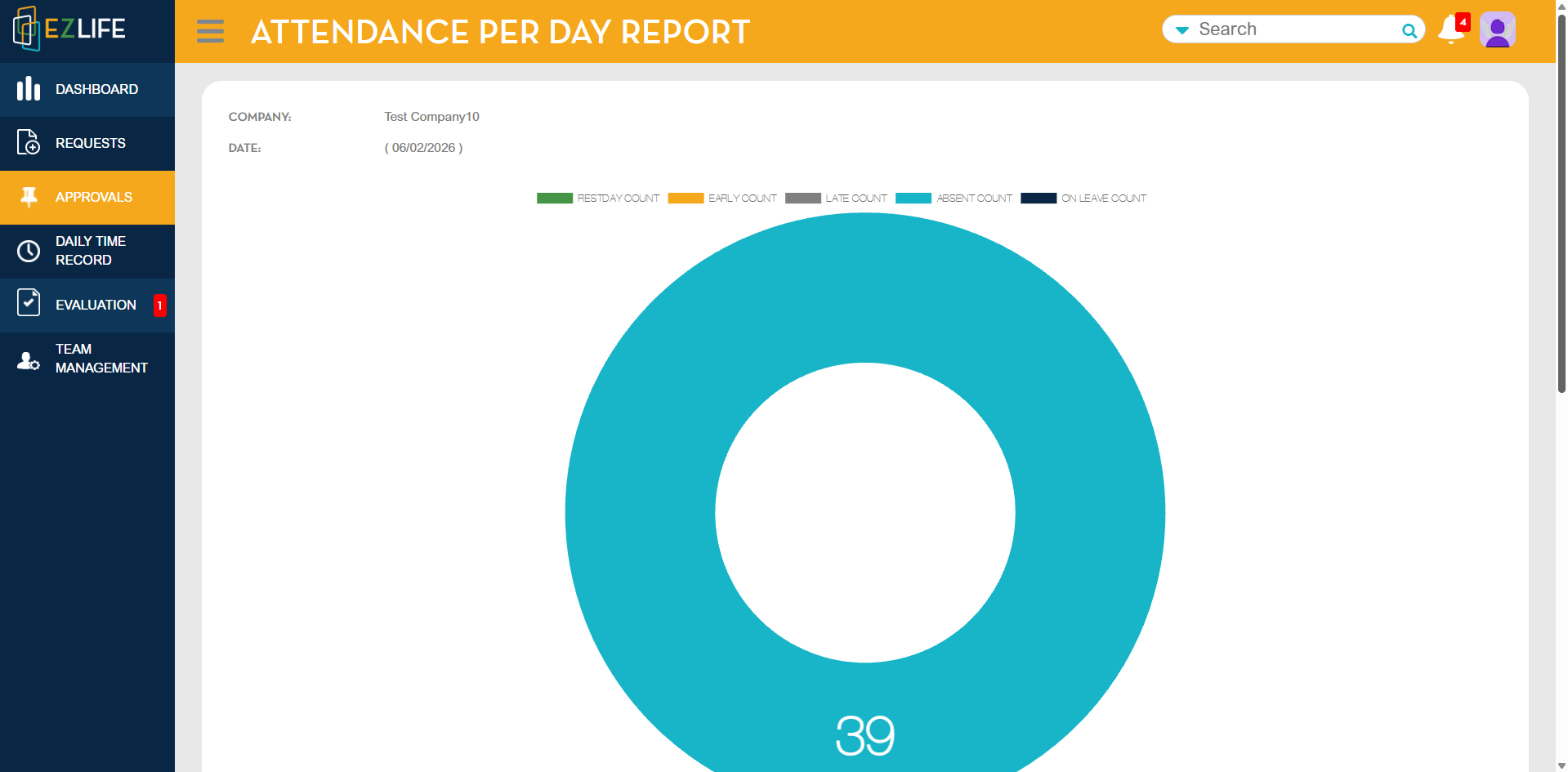
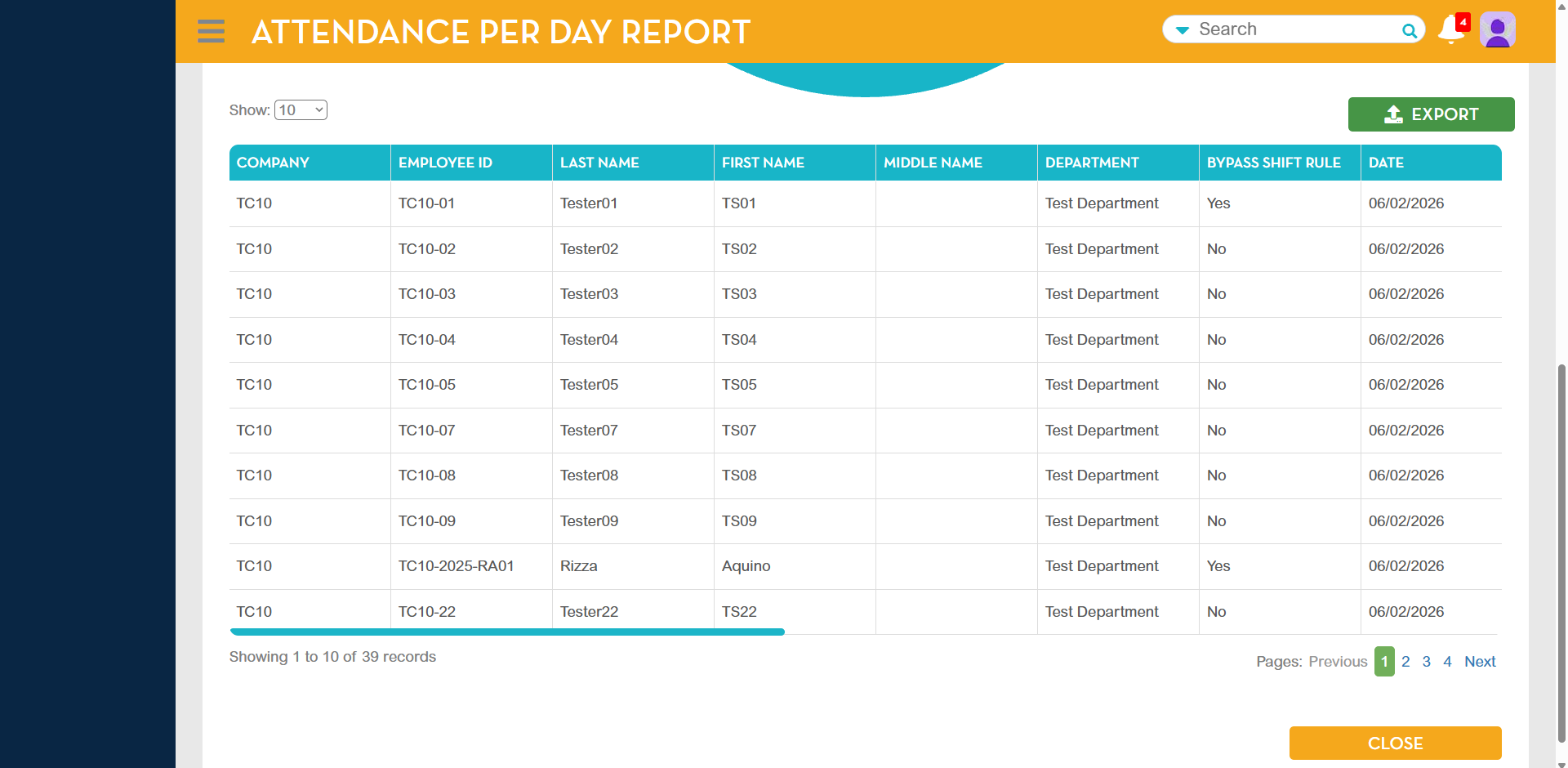
Approvers can now check the daily attendance of their team members directly from the Approval Module. Only employees under the approver will be displayed in the report.
Process Flow
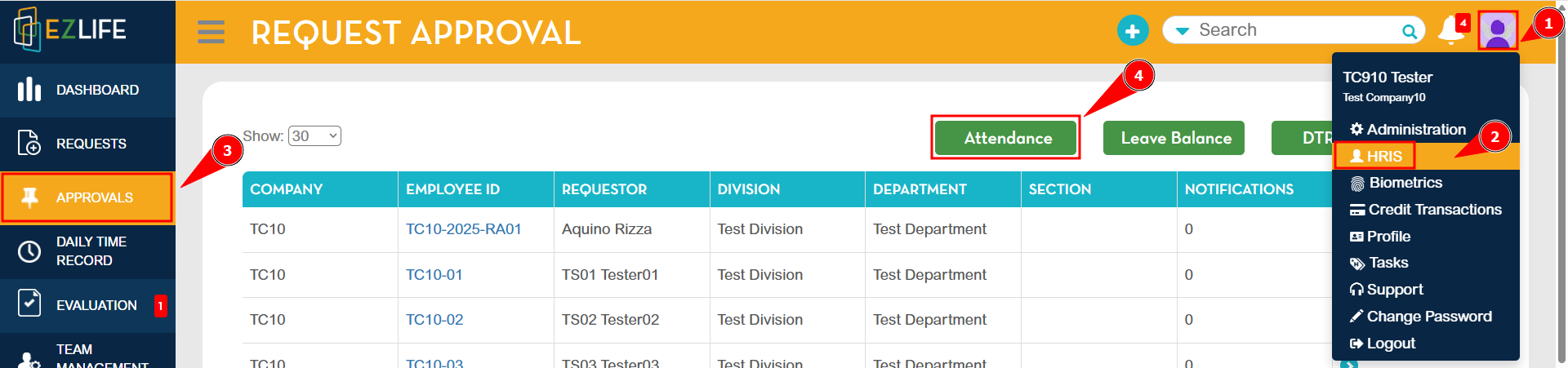
1. Click the profile icon in the upper-right corner and go to HRIS.
2. Navigate to Approvals and click Attendance.
3. In the Advanced Search pop-up, select Company and Date, then click Search. 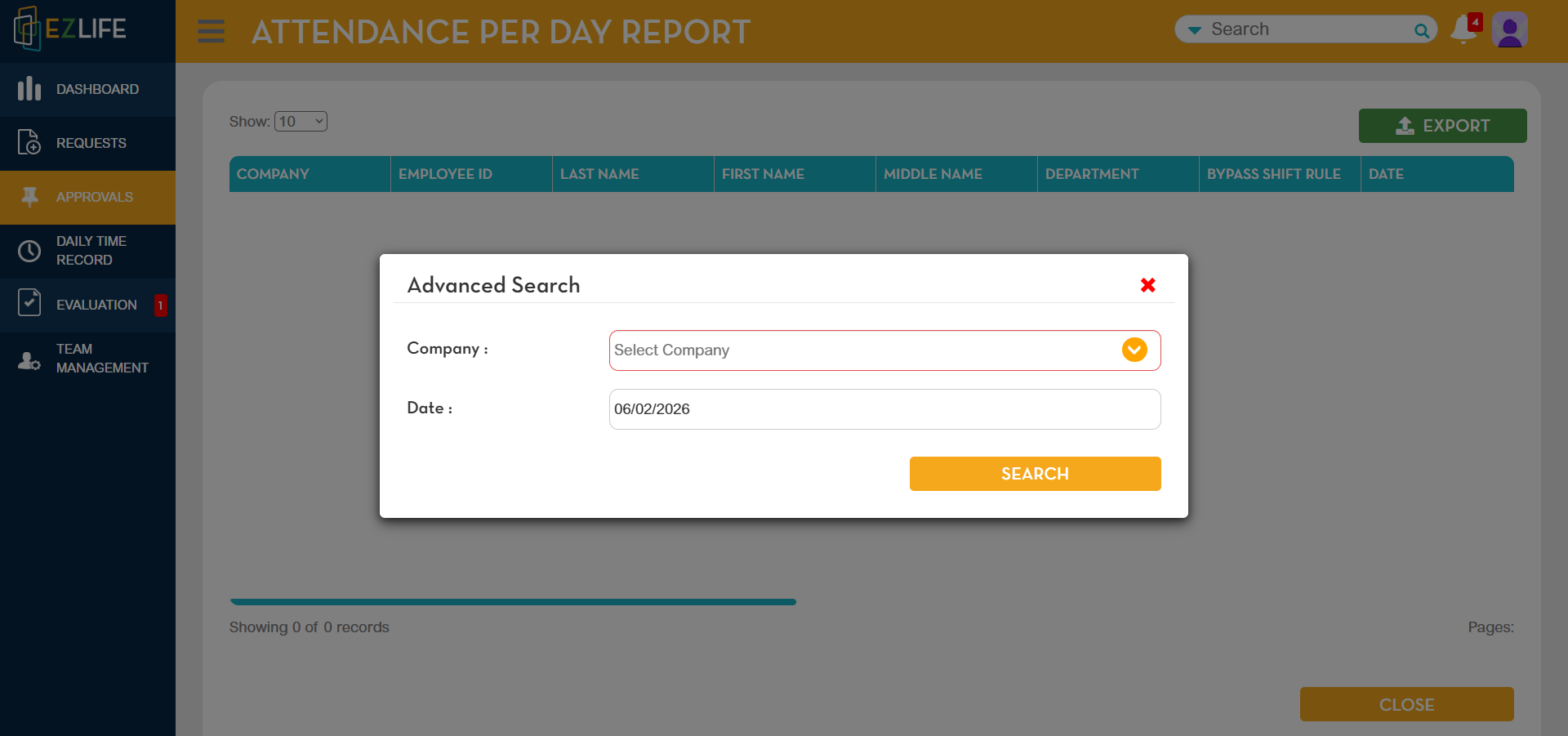
4. The Attendance per Day Report will be displayed.
Benefit
Improves visibility of team attendance for approvers and ensures accurate tracking of presence, absences, and leave statuses.