
1. Overview
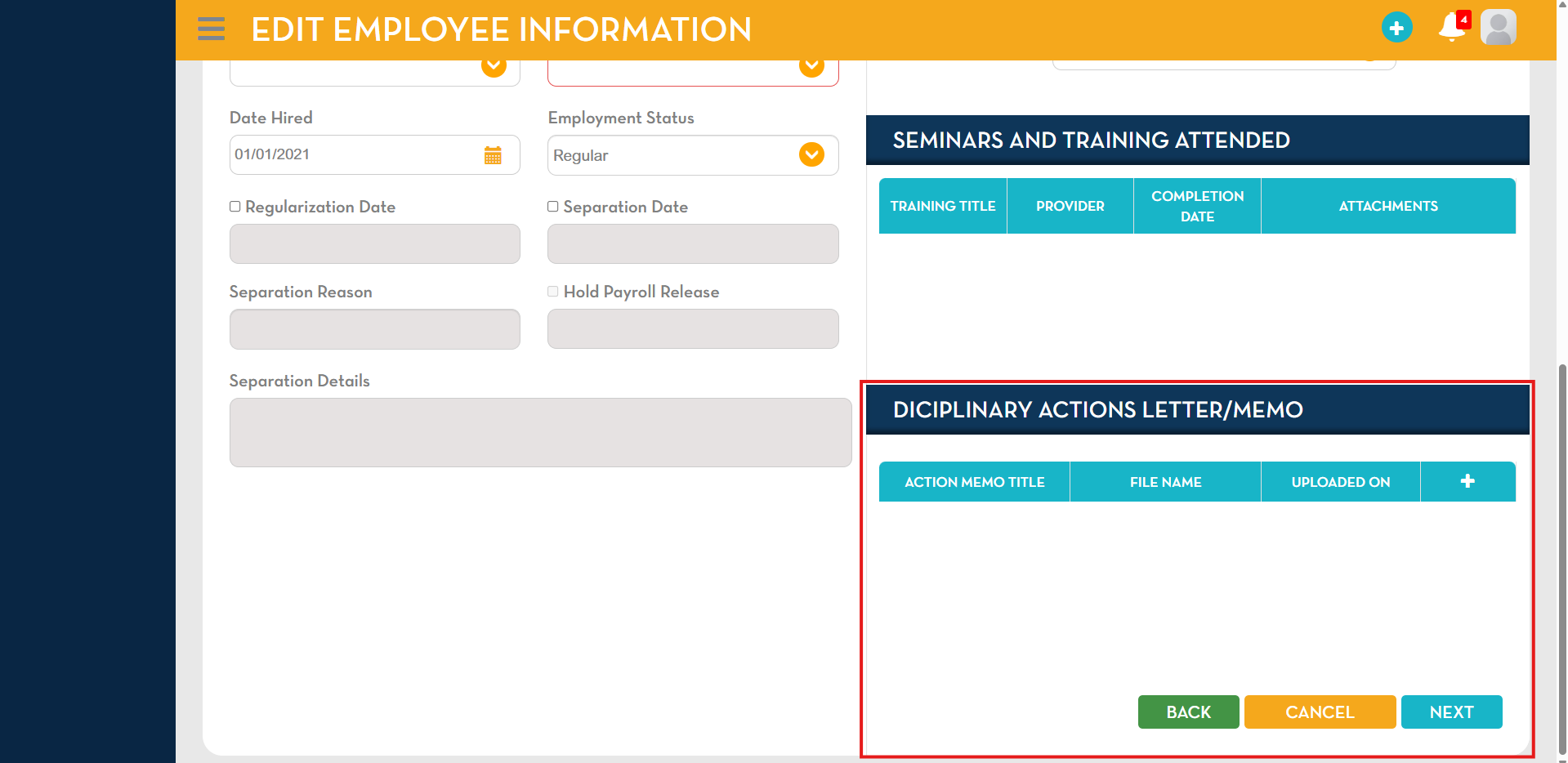
This feature enables administrators to upload and manage Employee Disciplinary Action Letters or Memos directly within the HRIS. Uploaded documents are made accessible to employees through their dashboard, ensuring proper communication and documentation of disciplinary actions.
2. Feature Description
The system now allows the attachment of disciplinary documents directly within the Employee Information → Job Information
- Key Functionality:
- Upload disciplinary letters or memos to an employee profile
- Documents are securely stored within the system
- Employees can view the uploaded memo via their dashboard

3. Supported File Formats
The following file types are accepted for upload:
- Microsoft Word Documents: (.doc, .docx)
- PDF Files: (.pdf)
- WPS Documents: (.wps)
- Image Files: (.jpg, .jpeg, .png)
4. Employee Dashboard View
Once uploaded, the disciplinary memo will:
- Appear on the Employee Dashboard
- Be accessible for employee viewing
- Serve as an official record of the disciplinary action
5. Display and Navigation Enhancements
To improve usability and document management:
- A maximum of 10 line items will be displayed per section
- A vertical scroll is enabled for easy navigation
- A “View More” button is available to access older records
6. Business Benefits
- Centralized storage of disciplinary records
- Improved transparency between employer and employee
- Streamlined documentation and audit readiness
- Easy access and retrieval of historical records
7. Notes
- Only authorized users can upload and manage disciplinary documents
- Ensure all uploaded files are accurate and properly labeled