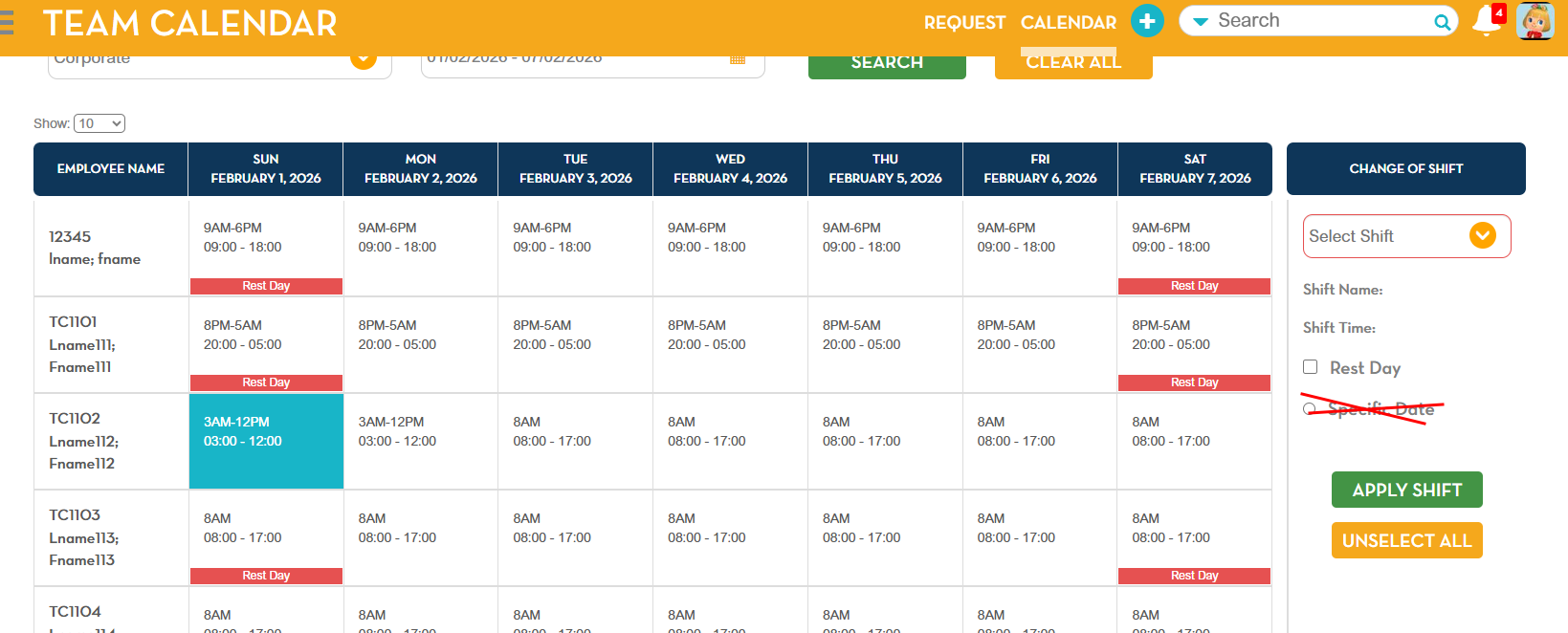
Team Calendar – Removal of “Set As Default” and “Specific Date” Options
Category: System Updates / User Interface Changes
Overview
As part of a design update, the “Set As Default” and “Specific Date” options in the Team Calendar have been removed. Moving forward, the system will automatically select “Specific Date” by default.
Details
- Removed Options:
- Set As Default – previously allowed users to set a default calendar view.
- Specific Date – previously allowed users to manually select a date.
- Updated Behavior:
- The system now automatically applies the “Specific Date” selection for all calendar-related actions.
- Users no longer need to manually choose a date.
User Impact
- The options “Set As Default” and “Specific Date” will no longer appear in the calendar interface.
- Calendar events will default to the system-selected specific date without additional user input.
Reference