
Overview
The Attendance Monitoring feature enables employees to view a summary of their attendance directly on the Employee Dashboard. By default, the system displays attendance data for the current month, with the option to view previous months.
Attendance Metrics
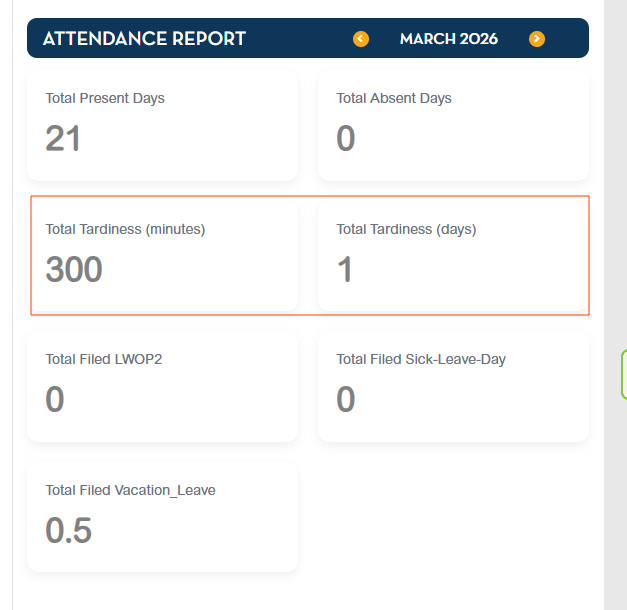
The dashboard displays the following monthly totals for the employee:
- Total Present Days – The total number of days the employee was present.
- Total Absences – The total number of days absent without approved leave.
- Total Tardiness: Minutes and Days – The total number of late arrivals.
- Total Filed Leaves – The total number of approved leave days filed by the employee.
Note: Attendance is calculated based on the period from the 1st to the last cut-off of each month.
Configuration
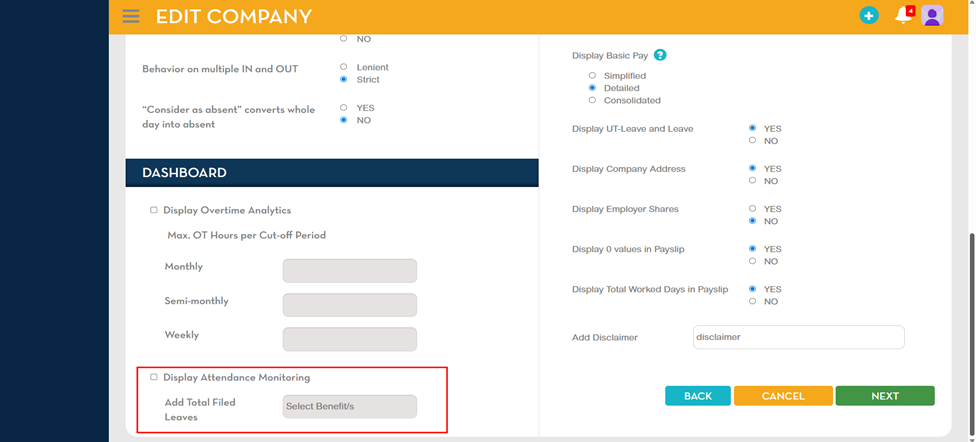
To enable Attendance Monitoring and the display of Total Filed Leaves:
- Navigate to Company Information > Company Settings
- Enable the Display Attendance Monitoring option.
- Select the preferred option under Add Total Filed Leaves.
Once enabled, the system will display only the leave benefits assigned to the employee on the dashboard.
Available Options: All leave types activated in the employee’s leave benefits setup.
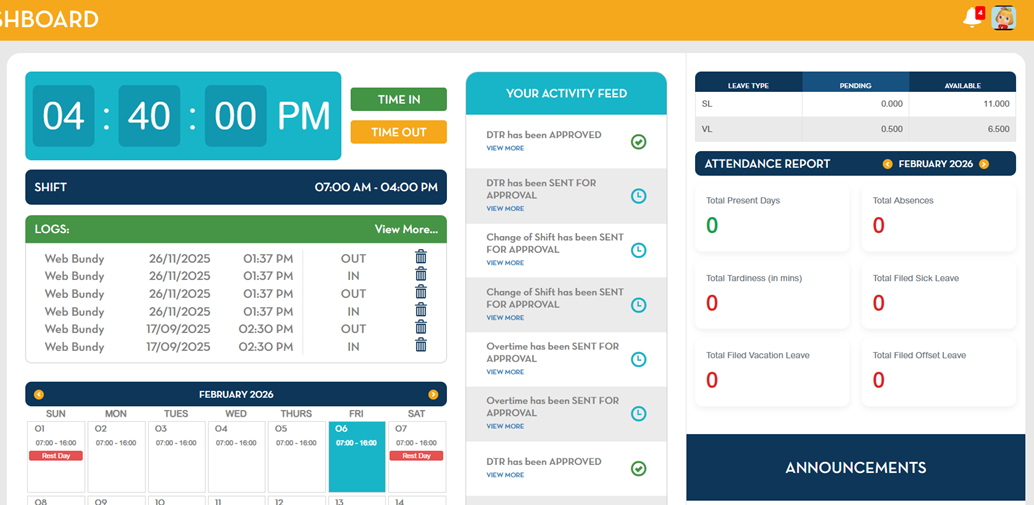
Employee Dashboard View
Once configured, employees will see the Attendance Monitoring section with the metrics listed above. They can view current and previous months for a comprehensive overview of their attendance.
Benefits
- Provides employees with a clear and consolidated view of attendance data.
- Enhances transparency and enables employees to track presence, absences, tardiness, and leaves effectively.