
Adjustment & Loan Autofill: Decimal Configuration
Objective
To ensure accurate calculations in the Adjustment & Loan module by aligning the decimal precision with the company-wide settings, preventing miscalculations in Monthly Payment.
Overview
The Adjustment & Loan module now automatically respects the decimal configuration defined in the Company Information module. This ensures consistency in calculations and eliminates potential rounding errors during loan and adjustment processing.
Configuration Details
- Navigate to Company Information > Payroll Settings
- Locate the Decimals Configuration
- Example: If the decimals are set to 3, the system will process amounts up to three decimal places.
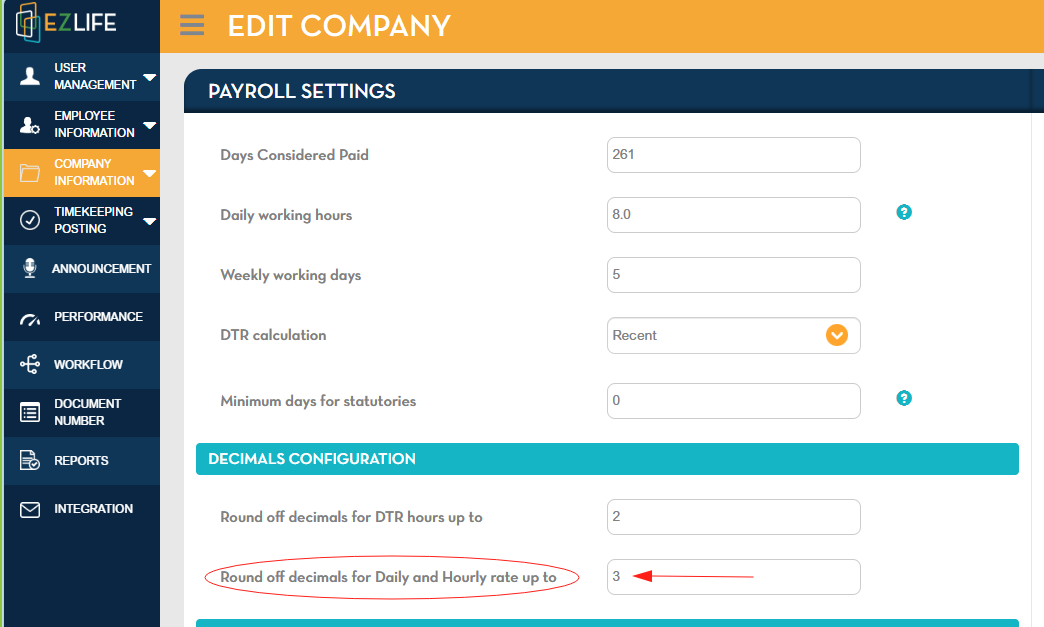
- Example: If the decimals are set to 3, the system will process amounts up to three decimal places.
- The Adjustment & Loan Autofill feature will automatically use the same decimal precision during calculations.
Note: Aligning decimal precision across modules ensures that monthly payment computations remain accurate.
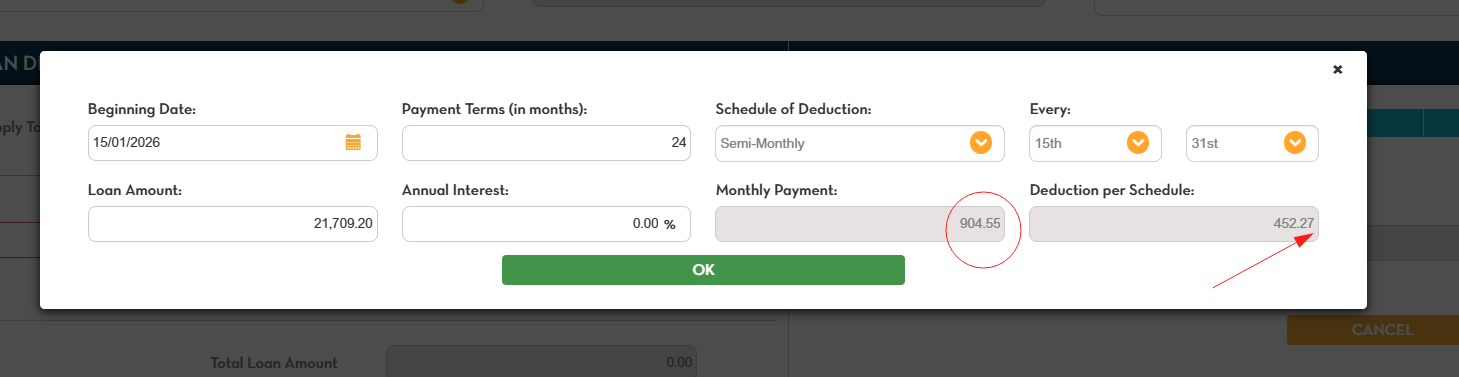
Example
- Company Decimal Setting: 3
- Loan Amount: 1,234.567
- Monthly Payment after Autofill: 123.457
Without this configuration, discrepancies may occur due to rounding differences.
Benefits
- Ensures accuracy in loan and adjustment calculations.
- Maintains consistency across system modules.
- Reduces the risk of miscalculations in payroll processing.