
Forgot your password or need to change it? Here's a few steps you can take to reset your password.
Step 1
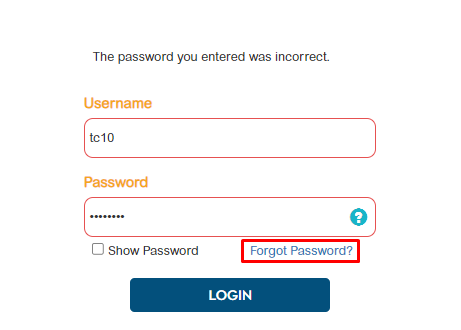
In the login page, select 'Forgot Password?'
Step 2
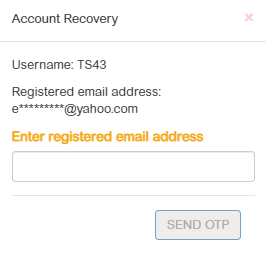
Enter the registered email address then click 'Send OTP'
Step 3
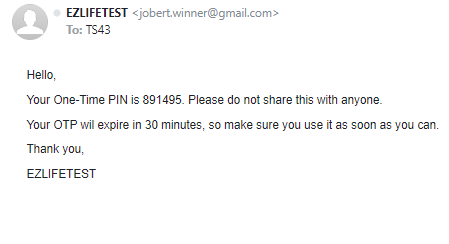
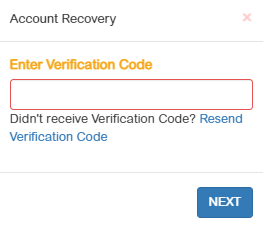
An email will be sent in the registered email address. Check the email. Enter the Verification Code then click 'Next'
Step 4
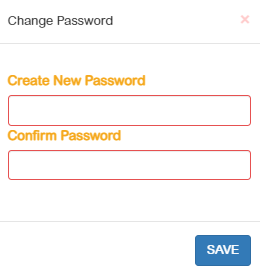
Create new password and confirm new password.
Step 5
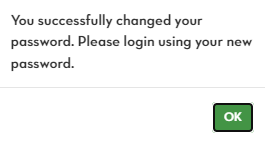
A confirmation message will show that you've successfully changed your password. Click OK and you will be redirected in the login page
Step 6
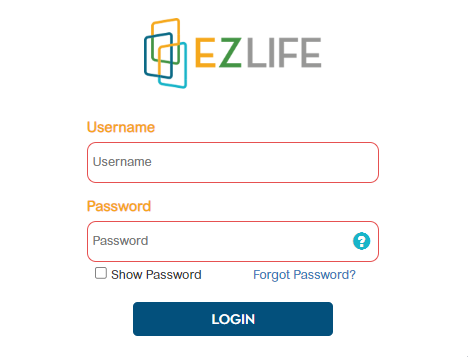
Log in using the new password.
Still having trouble? Reach out to your administrator or contact support@ezlifesoftwaresolutions.com