To check the monthly payroll register report, click the profile icon in the upper-right corner of the page, go to Administration - Reports - Payroll Reports - Monthly Payroll Register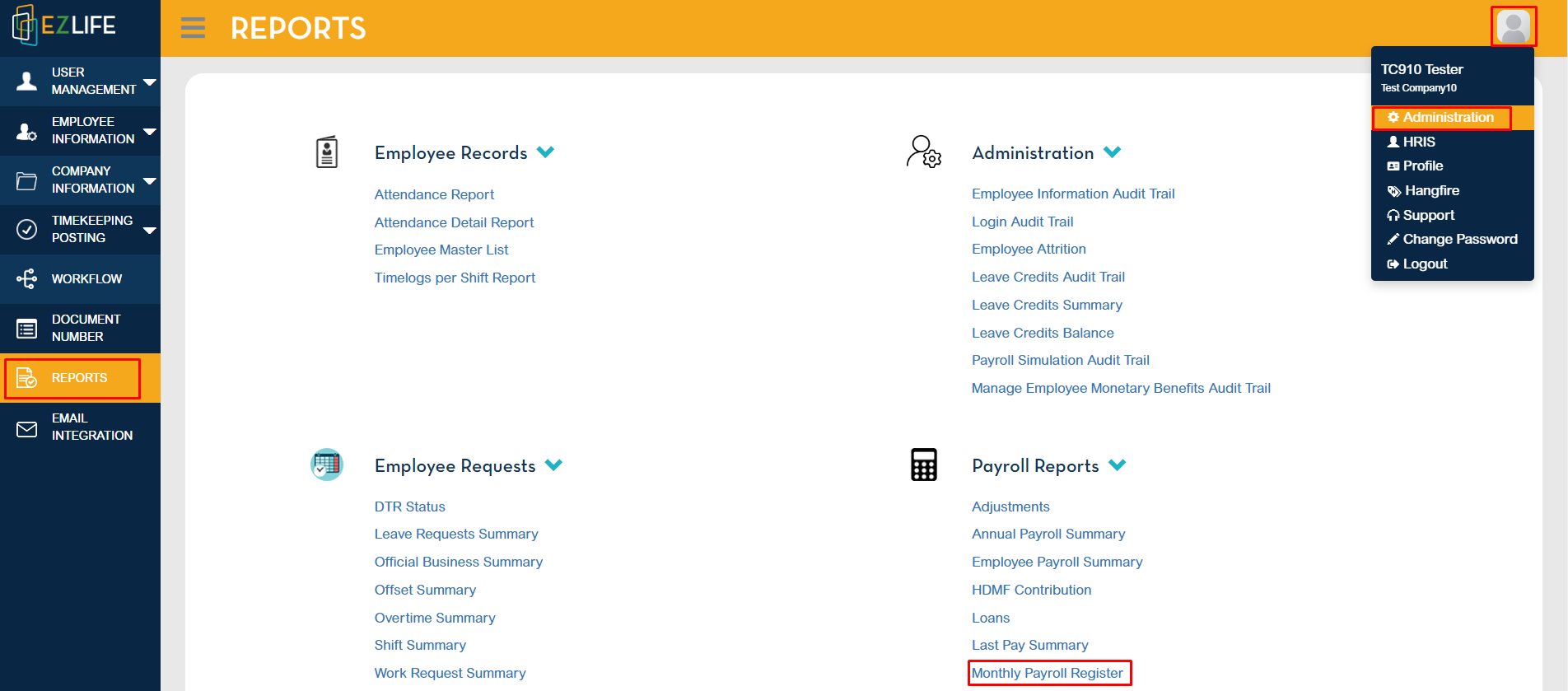
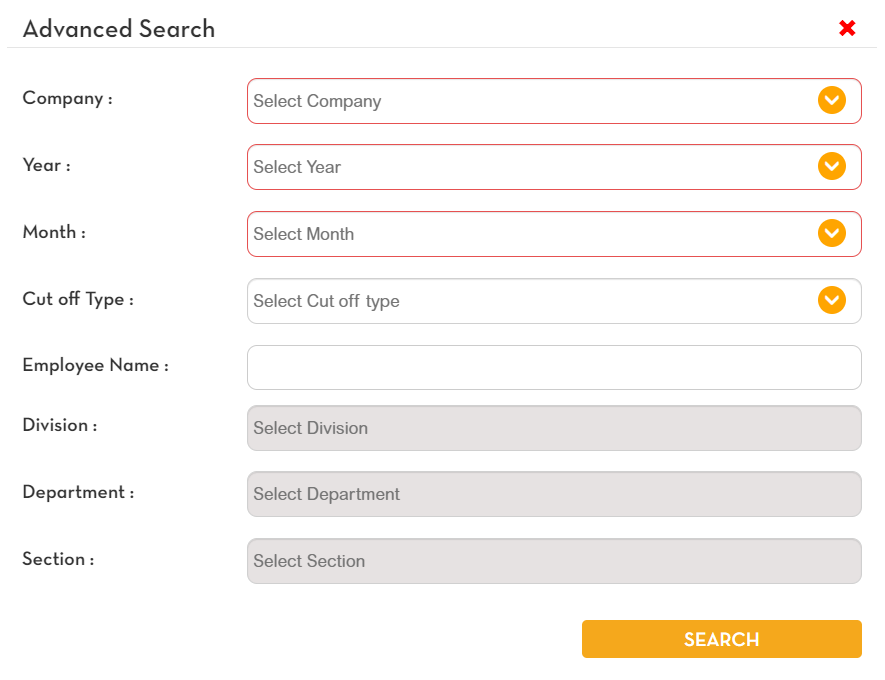
Select the company, year and month. Highlighted in red indicates required. Click Search.
Monthly Payroll Register of the selected company will show.
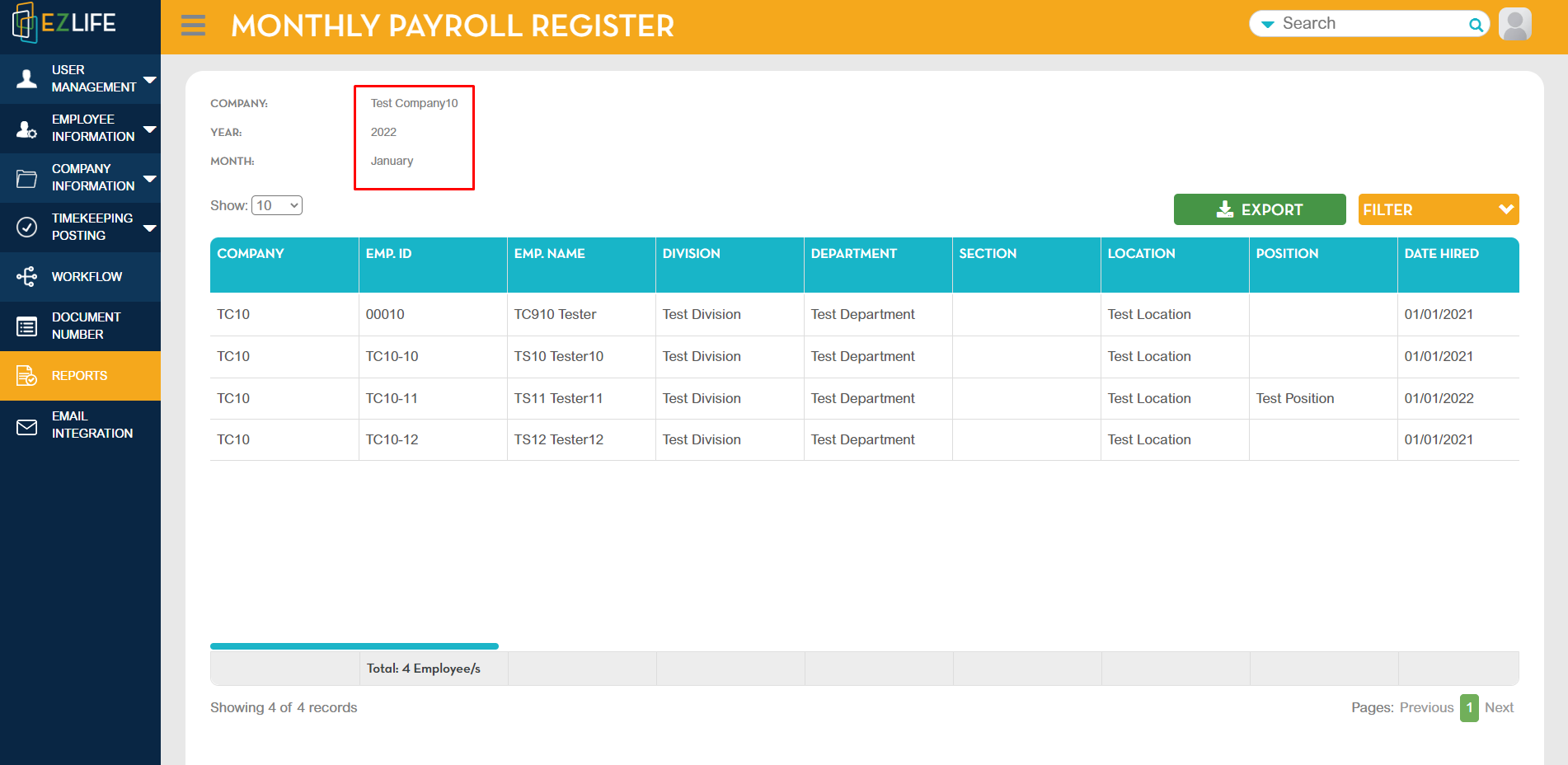
You can filter the data shown in the reports. Tick the box to show the data. Save Filter to save changes. Click reset to show the original filter.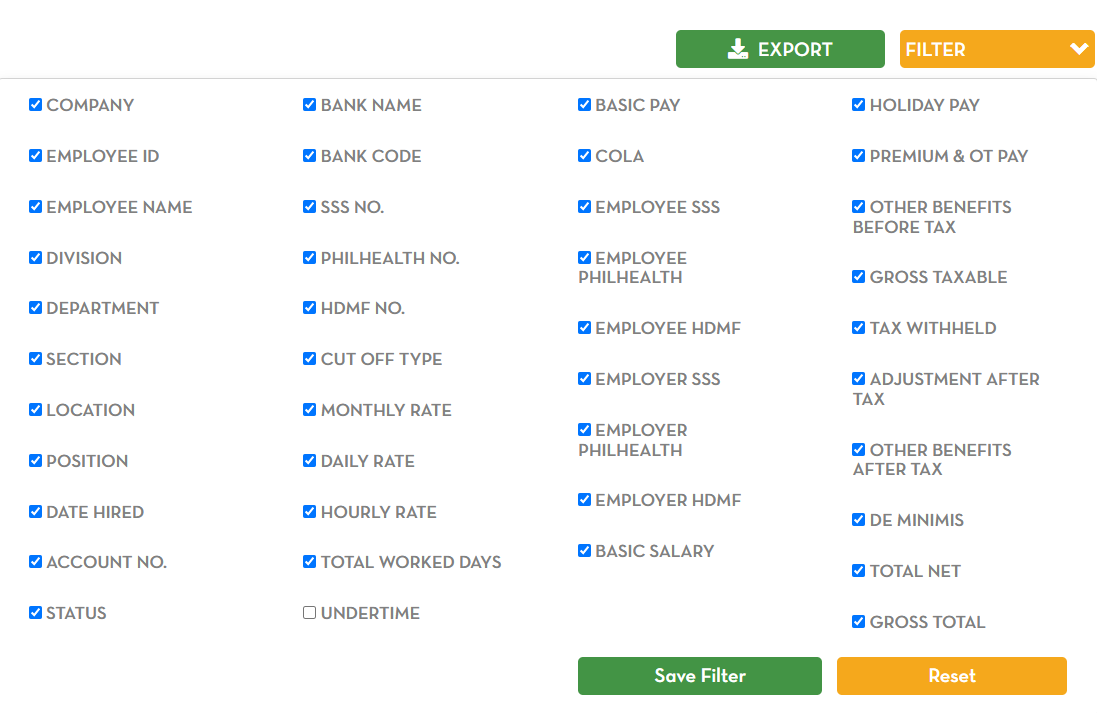
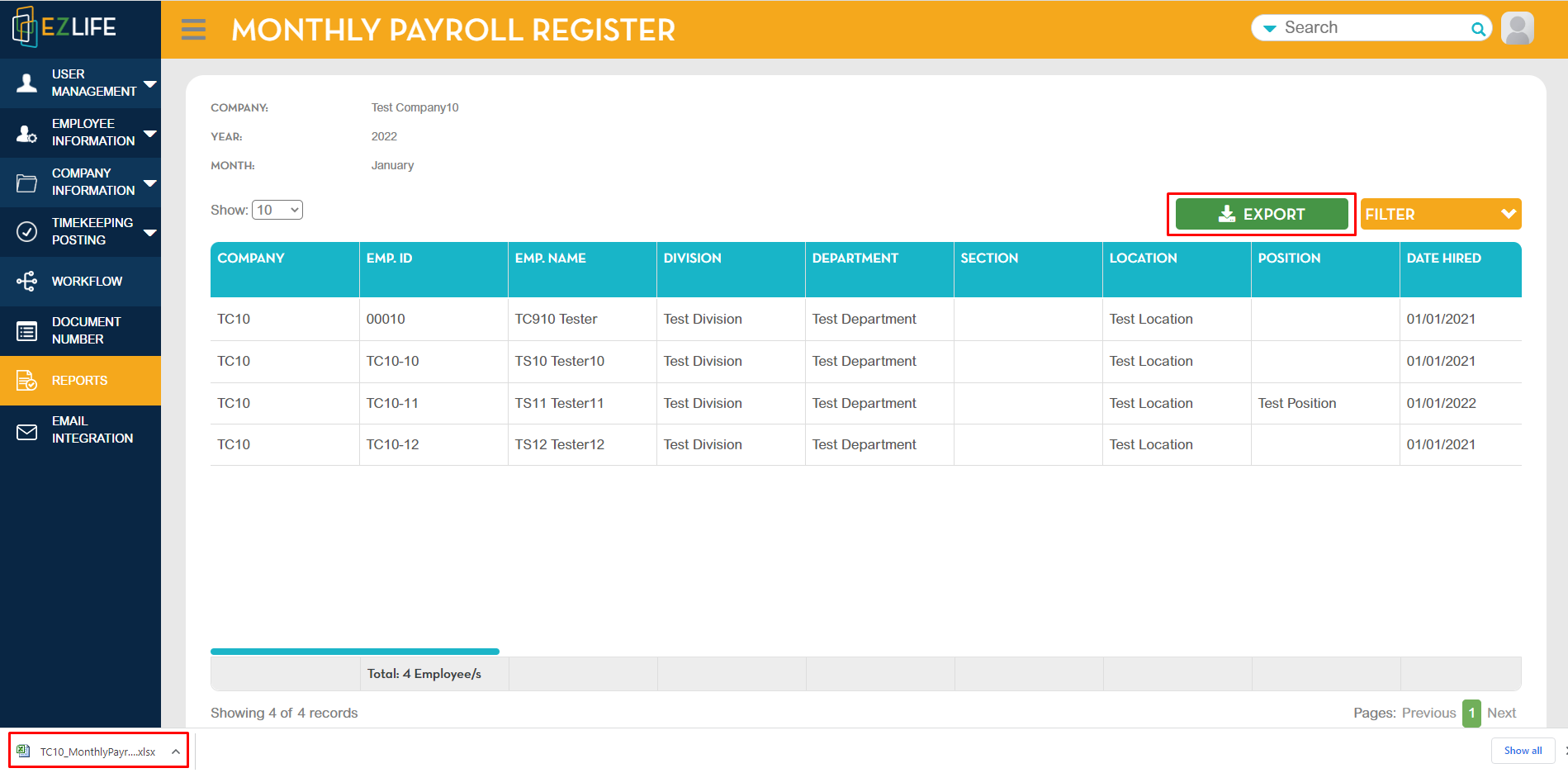
To export, click Export. An excel file will be downloaded and will appear in the lower left corner. Click the excel file to view.
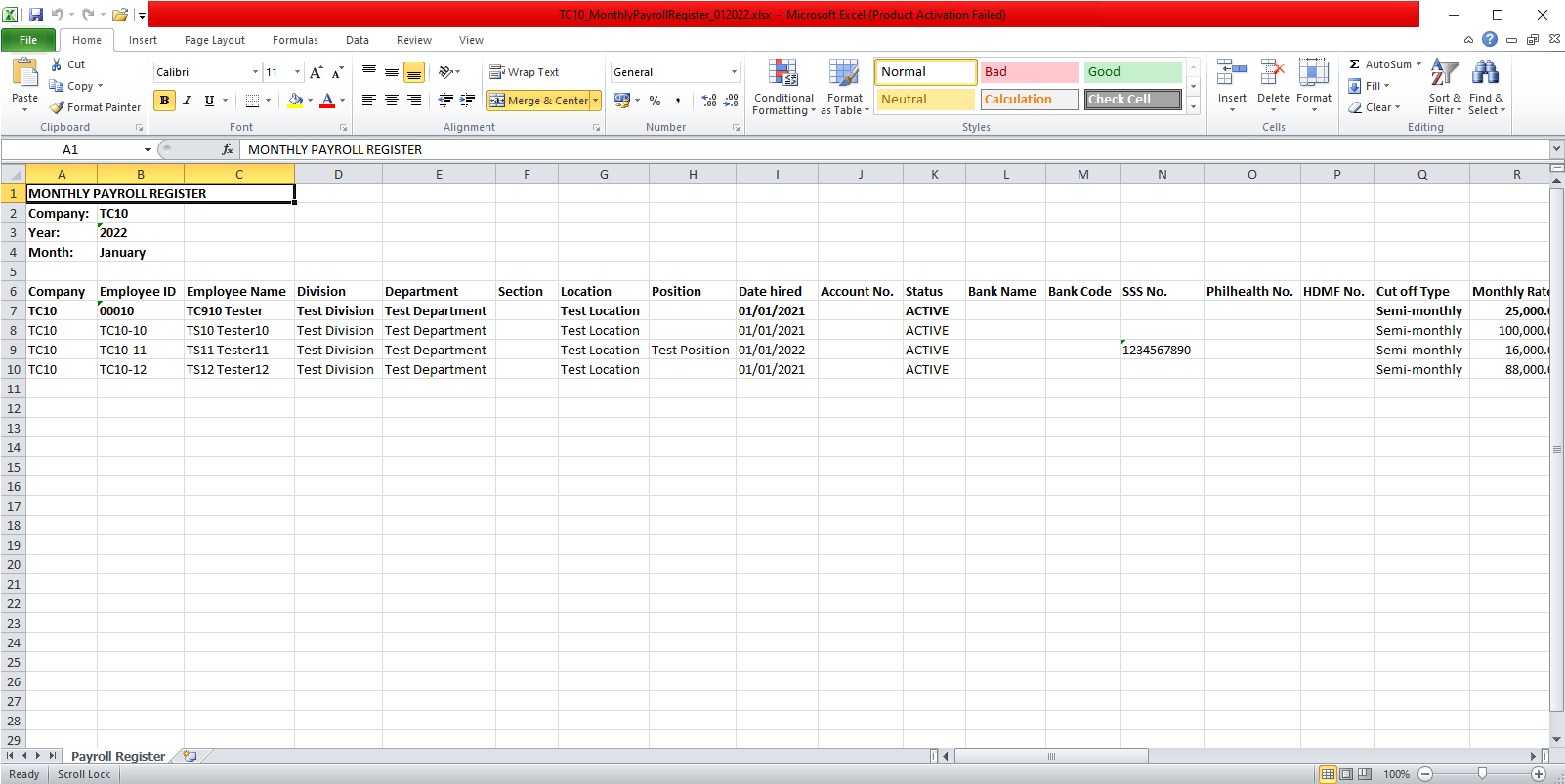
Data shown in the excel file is the same with the data shown in the reports.
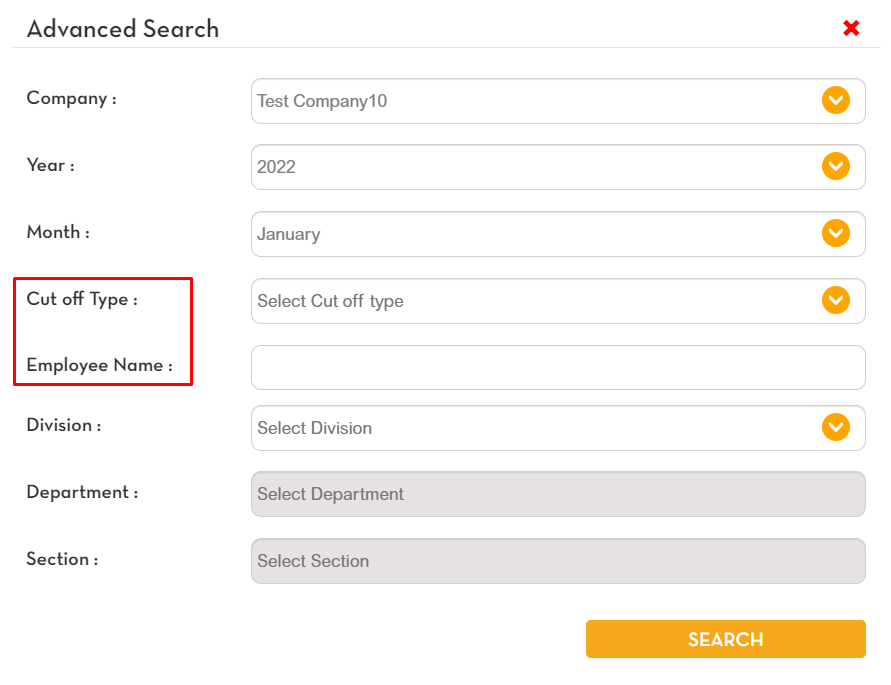
You can also search a specific employee and cut-off type. Enter the needed data then click Search.