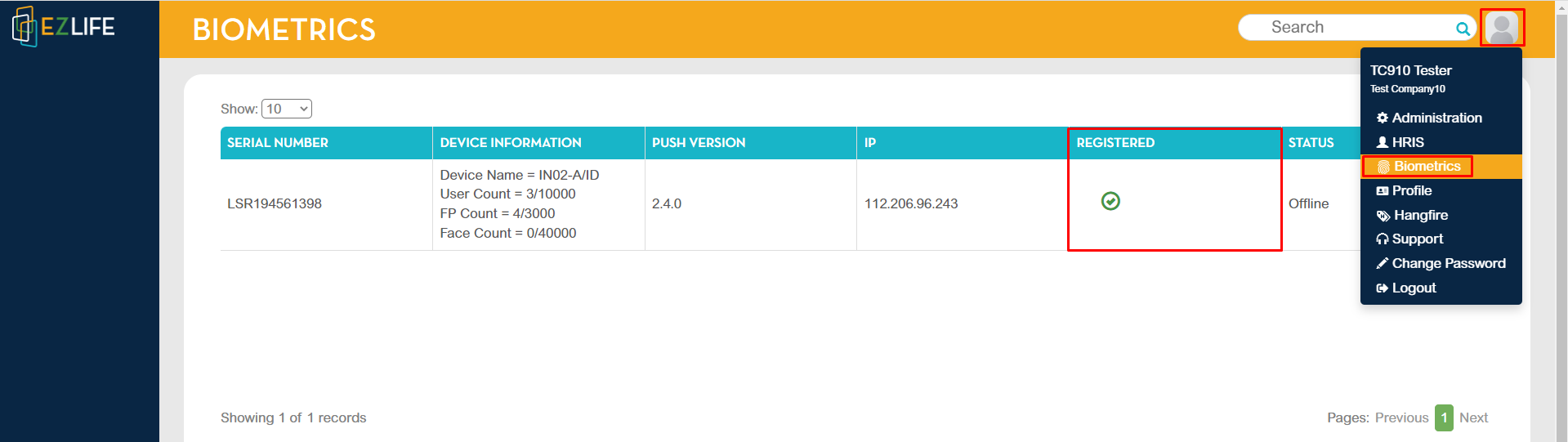
To check, click the profile icon in the upper-right corner of the page, go to Biometrics.
Biometrics details will be shown and the registered column will show a check icon.

Modified on: Tue, 11 Jun, 2024 at 2:17 PM
To check, click the profile icon in the upper-right corner of the page, go to Biometrics.
Biometrics details will be shown and the registered column will show a check icon.
Did you find it helpful? Yes No
Send feedback