
To generate the Login Audit Trail Report, follow these detailed steps:
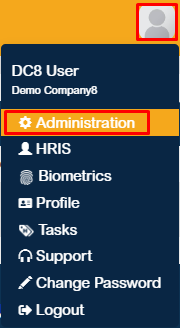
- Click on the profile icon in the upper-right corner of the page and select Administration.
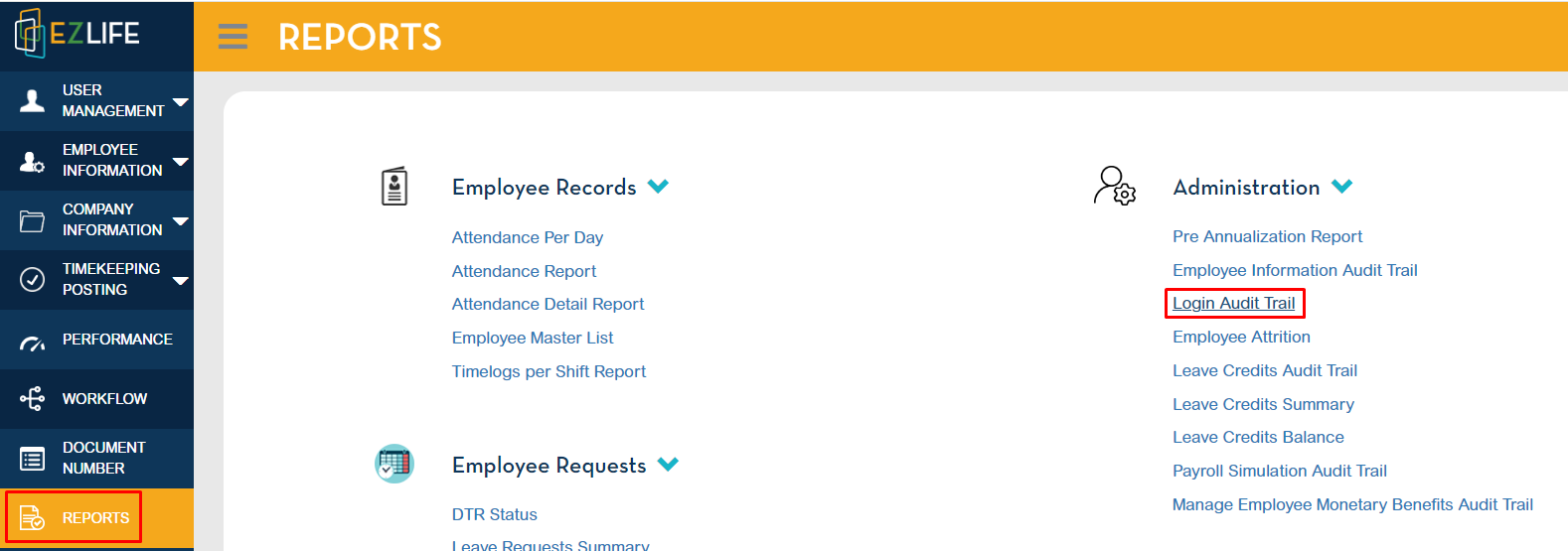
2. Go to Reports > Administration > Login Audit Trail.
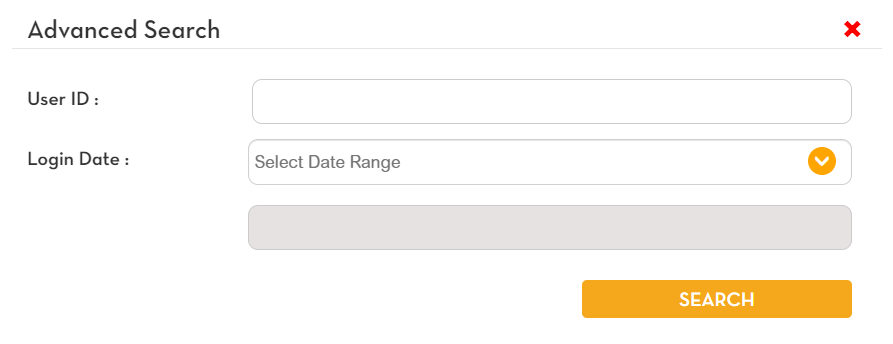
3. Provide the necessary search parameters, such as User ID and date range.
4. Once the required details are entered, the Login Audit Trail Report will be displayed, showing a comprehensive log of user login activities.
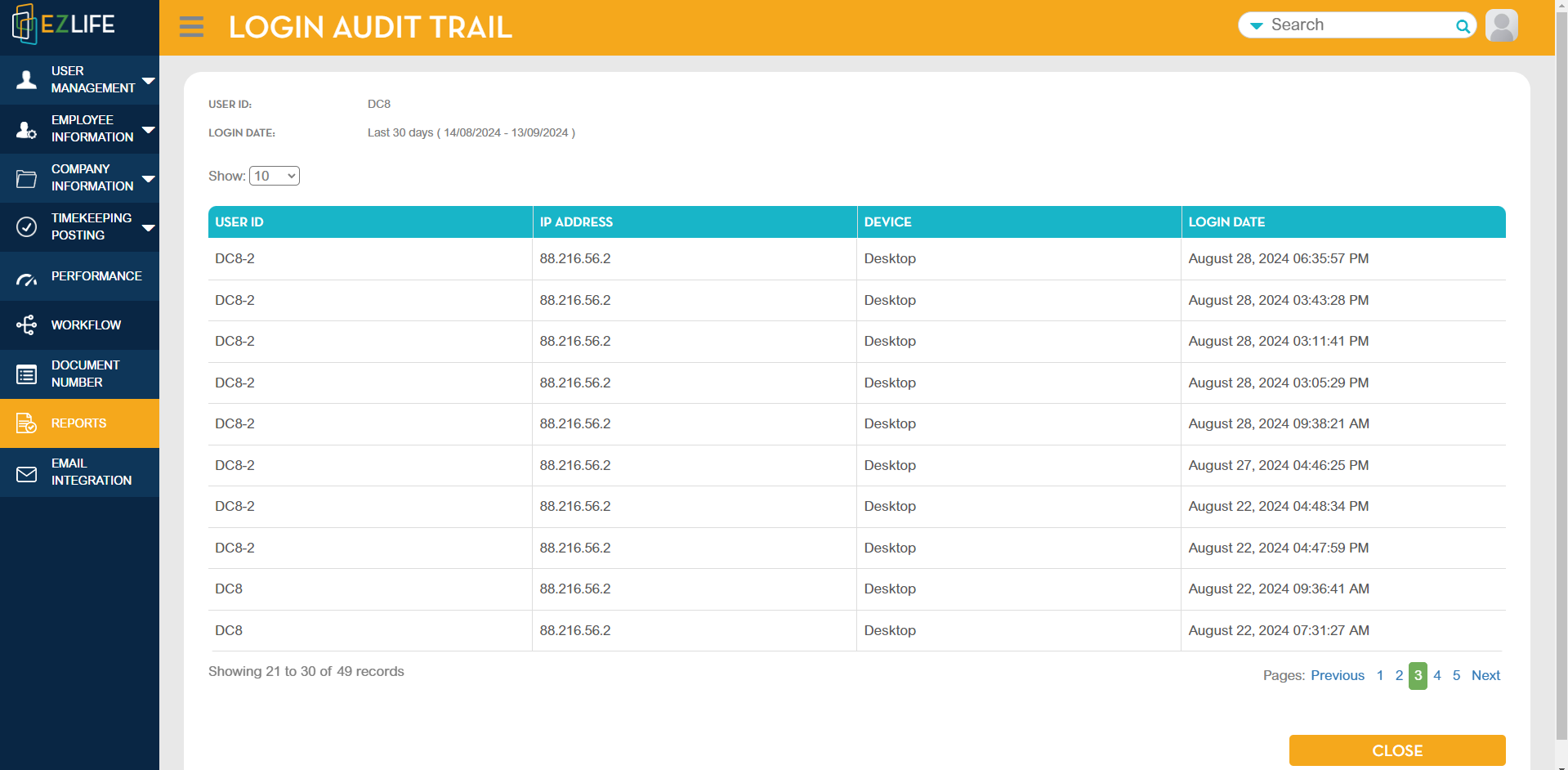
This process ensures that you can review and monitor login records for security and audit purposes.