
Overview
The Edit Employee Information module has been enhanced with a “Same as Complete Address” checkbox under the Contact Details section, beside Present Address. This feature allows the Present Address fields to be automatically filled in with the values from the Complete Address, ensuring faster data entry and consistency.
Functionality
Checkbox Location
Navigate to Edit Employee Information → Personal Data → Contact Details → Present Address.
The option “Same as Complete Address” is available beside the Present Address fields.
When the Checkbox is Selected (✔)
All Present Address fields (Street Address, Province, City, Country, Postal Code) are disabled.
The system automatically copies the values from the Complete Address section.
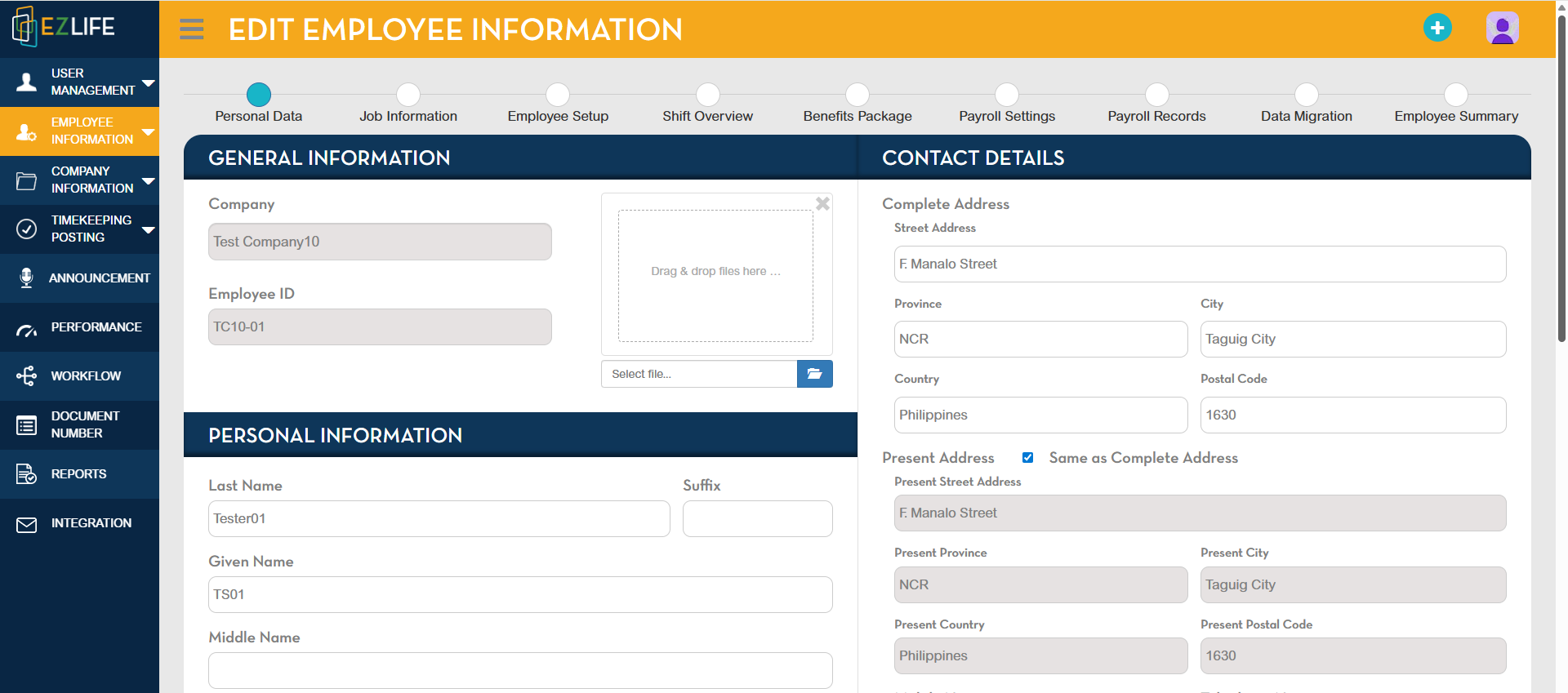
When the Checkbox is Not Selected (⬜)
All Present Address fields are re-enabled.
Users can manually enter or update a different address.
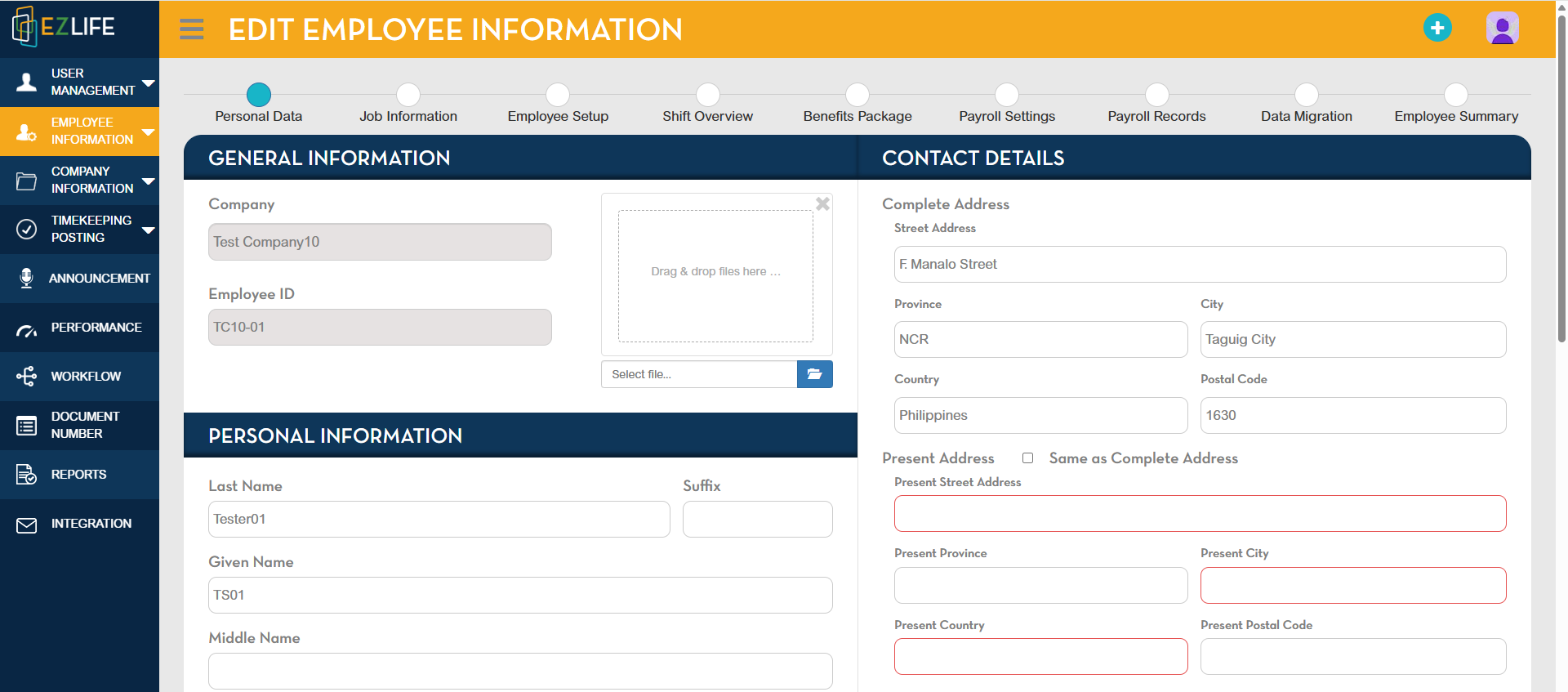
Business Use Case
- If an employee’s Complete Address and Present Address are the same, HR personnel can enable the checkbox to save time and minimize errors.
- If the addresses differ, the checkbox should remain unchecked, allowing manual entry.
Key Benefits
Efficiency – Faster and simplified data entry.
Accuracy – Prevents errors caused by duplicate typing.
Flexibility – Users can easily toggle between automatic and manual entry.
Best Practice
Always complete the Complete Address fields before enabling the checkbox.
If the employee relocates, remember to uncheck the box to allow updates to Present Address independently