
The Pre-Annualization Report provides a detailed summary of employee earnings, benefits, and tax computations before the annualization process. It serves as a reference for validating payroll accuracy and identifying potential tax adjustments.
Steps to Generate the Pre-Annualization Report:
Access the Profile Menu
Click the Profile Icon located at the upper-right corner of the page.
Open the Administration Module
Select Administration from the dropdown menu.

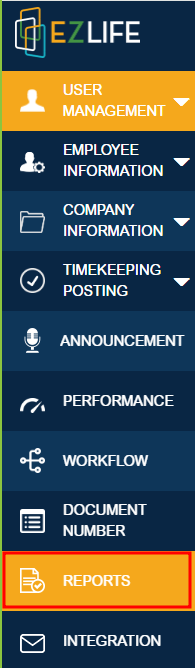
Navigate to Reports
Click Reports under the Administration section.
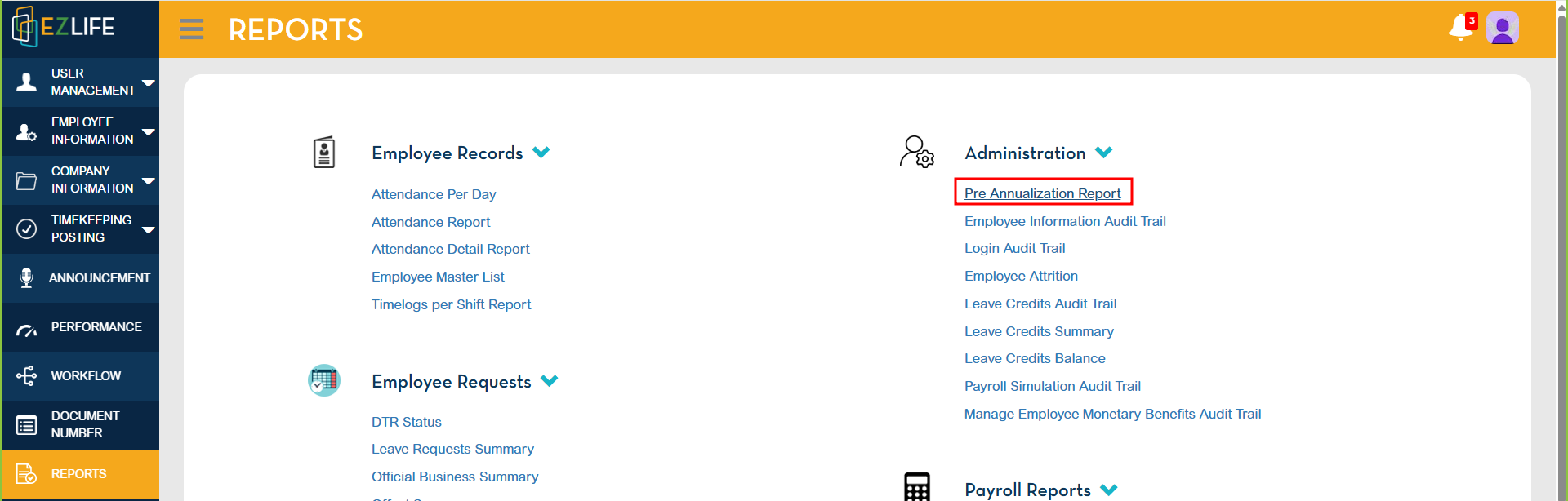
Select the Pre-Annualization Report
Under Administration, locate and click Pre-Annualization Report.
Enter the Required Details
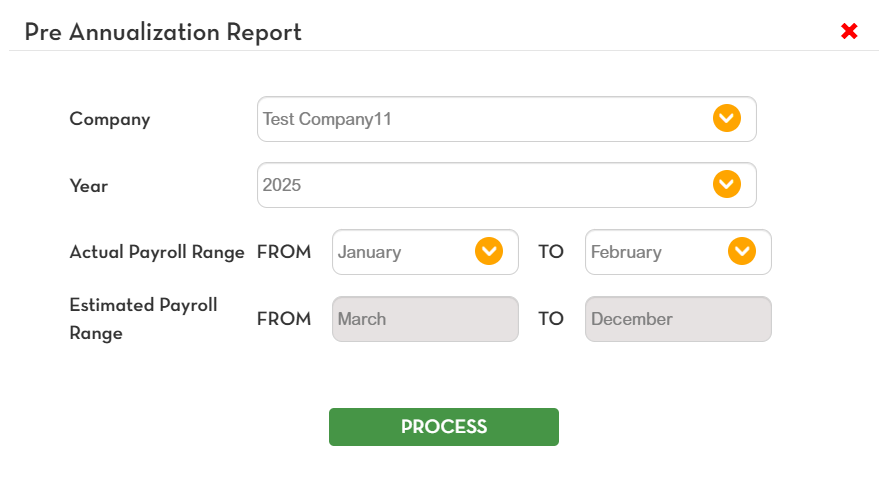
A pop-up window will appear. Provide the necessary information:Company – Select the applicable company name.
Year – Indicate the reporting year.
Actual Payroll Range – Refers to posted payrolls for the year.
Estimated Payroll Range – Refers to unposted payrolls for the year.
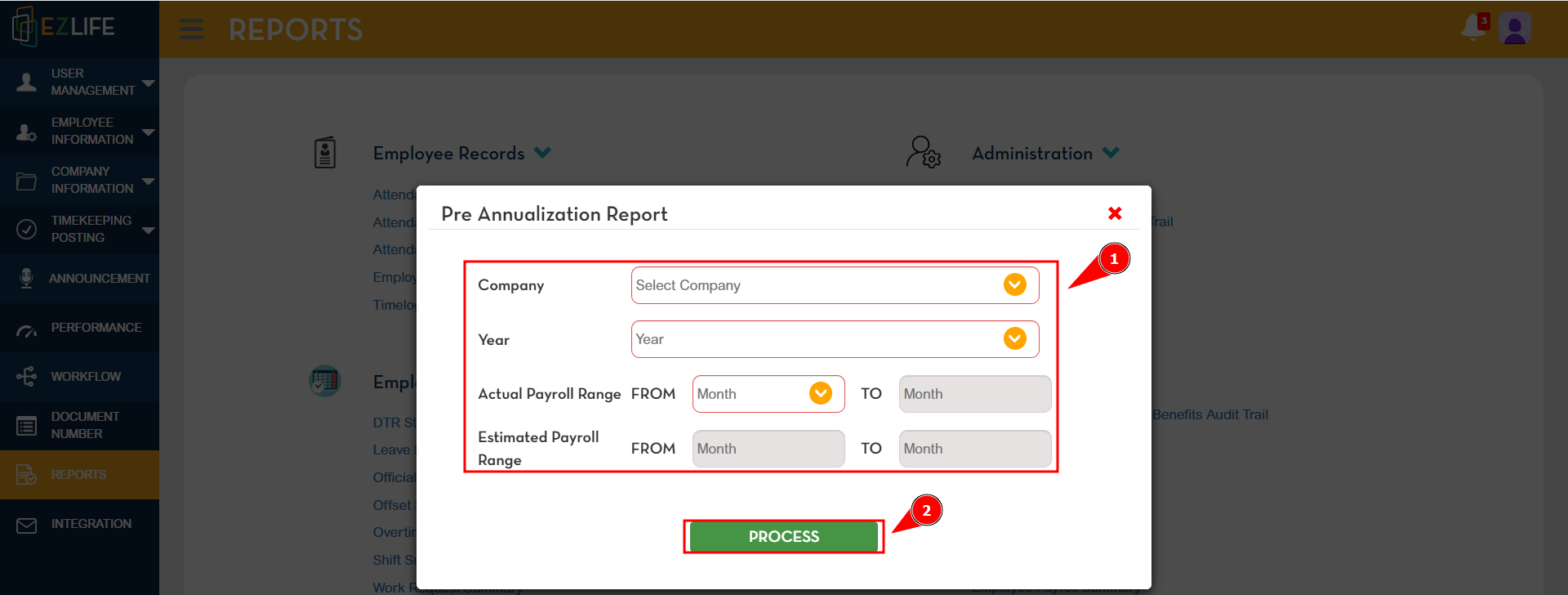
Process the Report
After completing all fields, click Process.
A confirmation pop-up will appear. Click Yes to proceed.

Download and Review the Report
An Excel file containing the Pre-Annualization Report will automatically download.
Open the file from your Downloads folder to review the report.

Report Contents
The generated Pre-Annualization Report includes the following information:
Company
Year
Employee ID
Last Name
First Name
Division
Department
Section
Location
Monthly Pay
Basic Salary
Estimated Basic Salary
Holiday Pay
Premium & Overtime
Other Benefits (Before Tax)
Other Benefits (After Tax)
Estimated OB BT and AT
Max De Minimis Adjustment
OB NT Previous
OB Tax Shield
Total Taxable Earnings
Estimated Statutory
Gross Taxable
Taxable Compensation (Previous)
Total Taxable Compensation
Pre-Annualized Tax
Total Tax Withheld
Estimated Tax Withheld
Previous Employer Tax
Tax Deficit /Tax Refund (positive or negative)
Adjustment After Tax
De Minimis
Estimated De Minimis
Total De Minimis
Max De Minimis
Max De Minimis Adjustment
Total Non-Taxable Earnings
Total Net
Additional Notes
In the generated Excel file, columns with yellow headers represent estimated amounts.
These estimated values are based on payroll periods that have not yet been posted.
It is recommended to review both actual and estimated figures to ensure accuracy.
Output
Upon completion, the system generates an Excel file that can be reviewed, validated, and stored for reference prior to annualization.