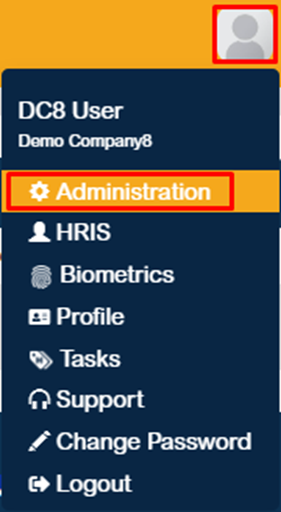
1. Click the profile icon located at the upper-right corner of the page, then navigate to Administration.
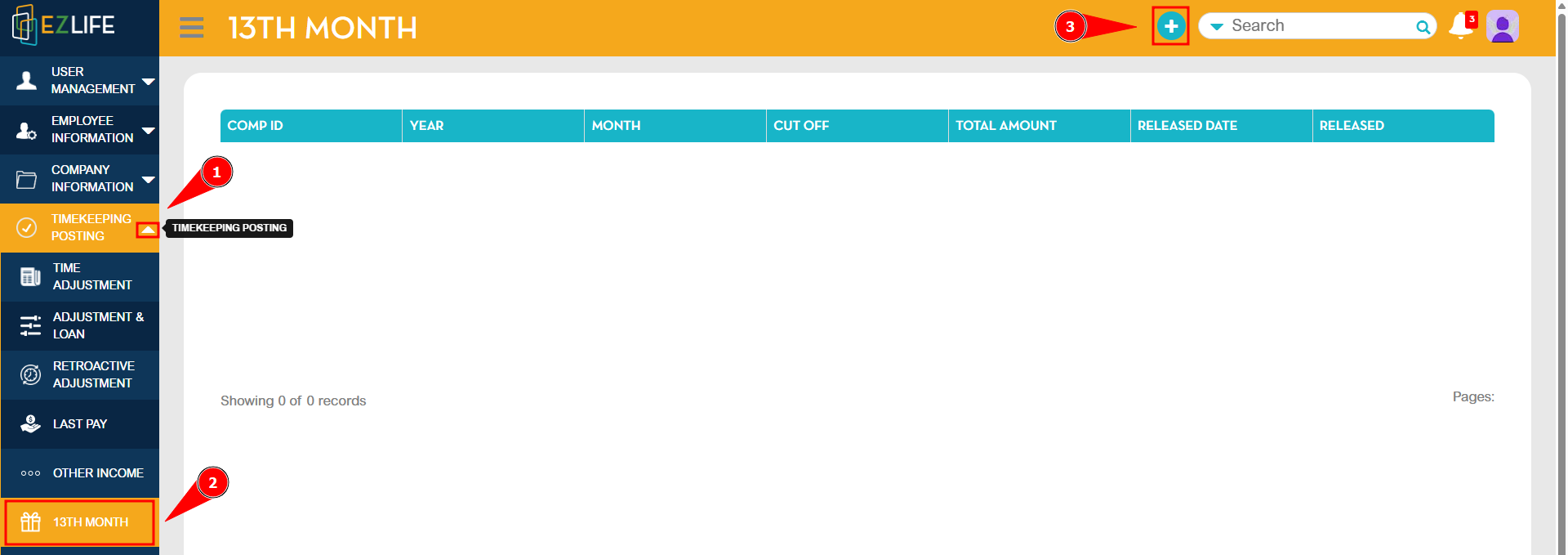
2. In the Timekeeping Posting section, click the dropdown icon to display the available modules, then locate the 13th Month module. Click the Add (+) button to create a new 13th Month entry.
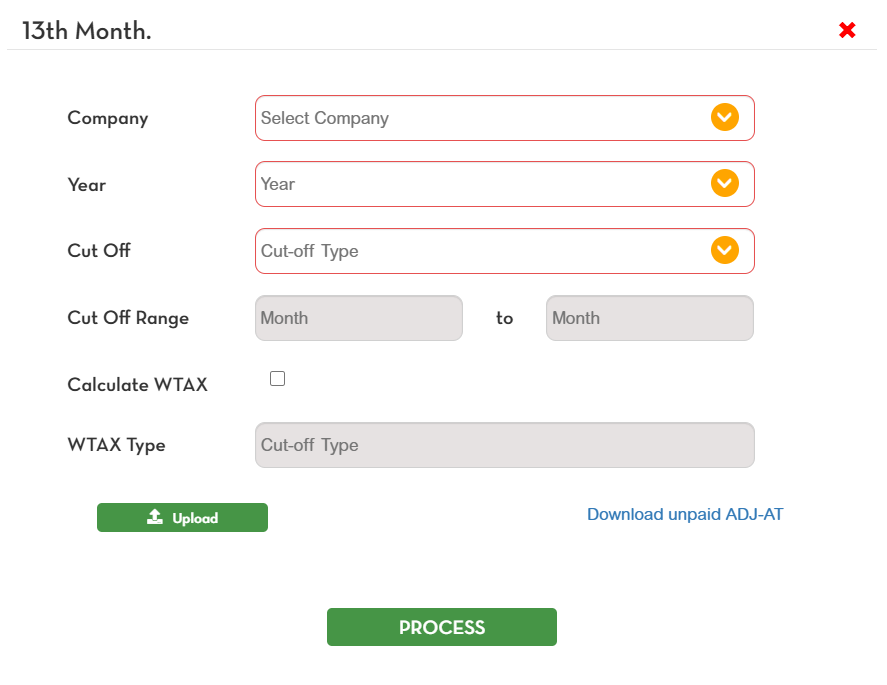
3. A pop-up window will appear. Enter all the required information, then click Process to generate the 13th Month pay.