
This feature allows administrators to define and manage company-issued monetary benefits such as allowances, incentives, and other compensations that form part of an employee’s payroll computation.
Steps to Add Monetary Benefits:
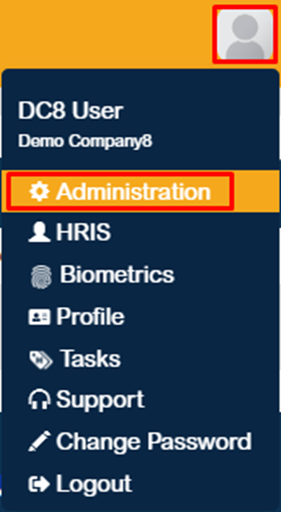
1. Click the profile icon located at the upper-right corner of the page, then navigate to Administration.
2. In the Employee Information section, click the dropdown icon to display the available modules, then select Benefits. 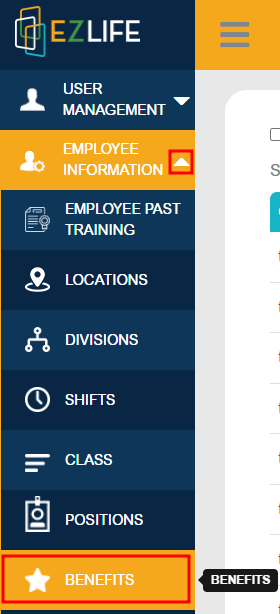
3. Click the Add (+) button to create a new monetary benefit. 
4. Under the General Information section, enter the following details:
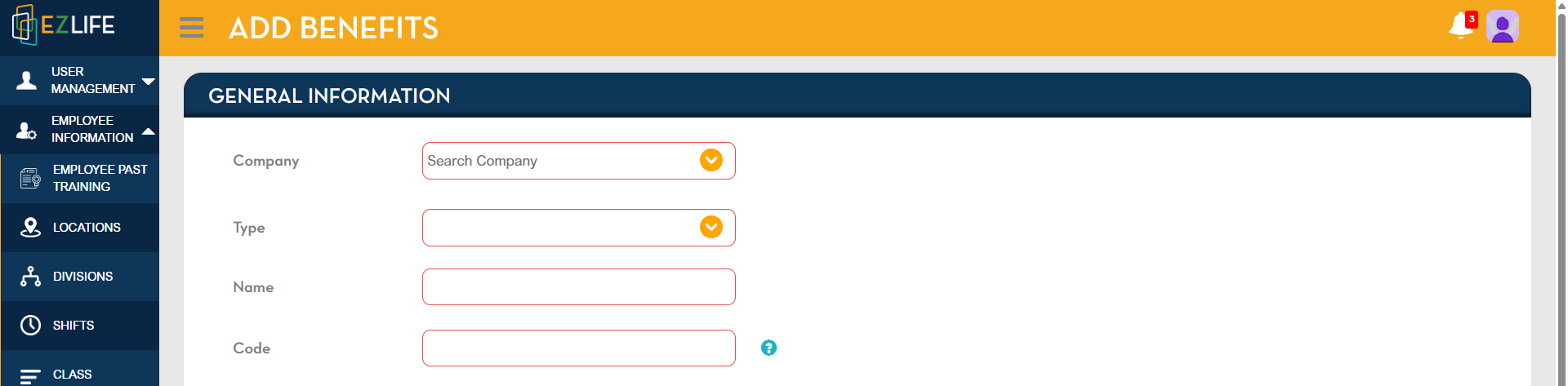
Company
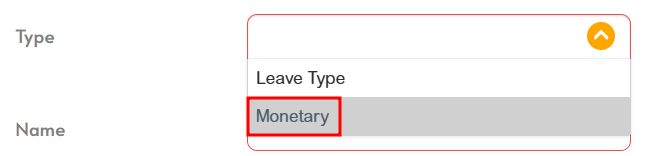
Type
Name
Code
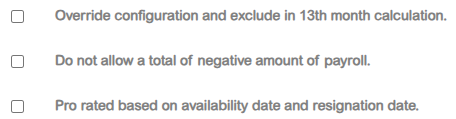
5. Proceed to the Rules section and input the required details: 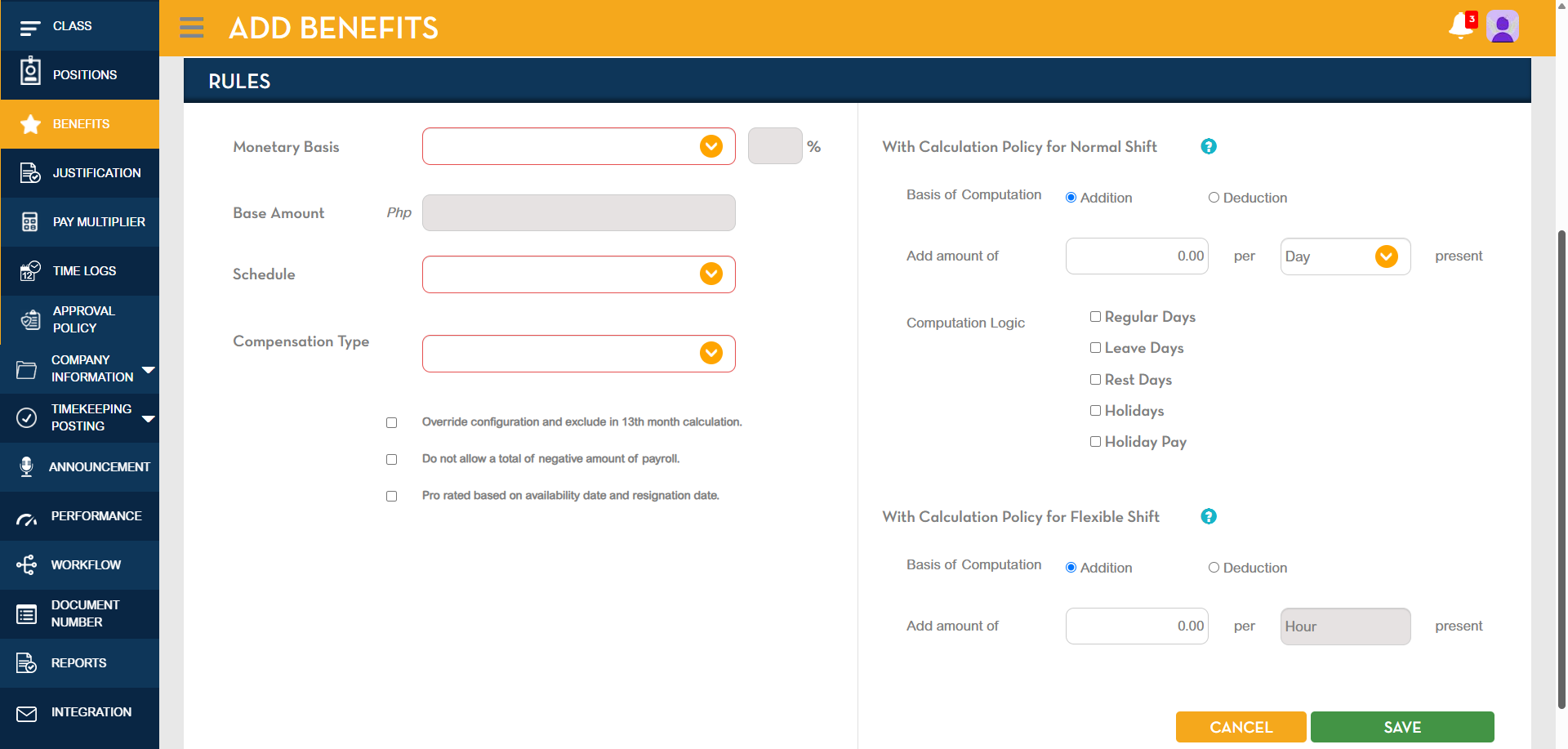
Monetary Benefits
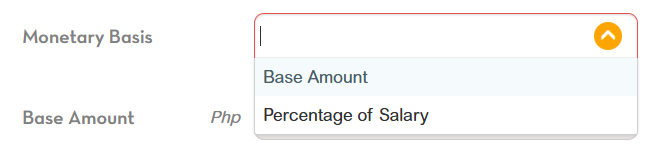
Base Amount
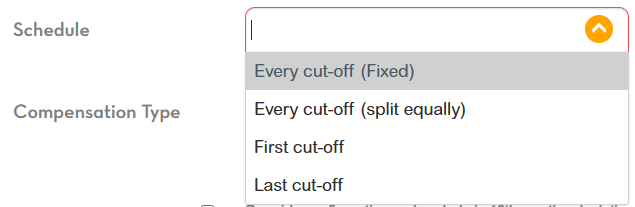
Schedule
Compensation Type
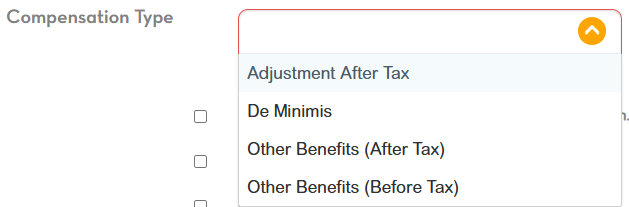
Select all applicable rules.
6. Configure the calculation policy as required, then click Save. 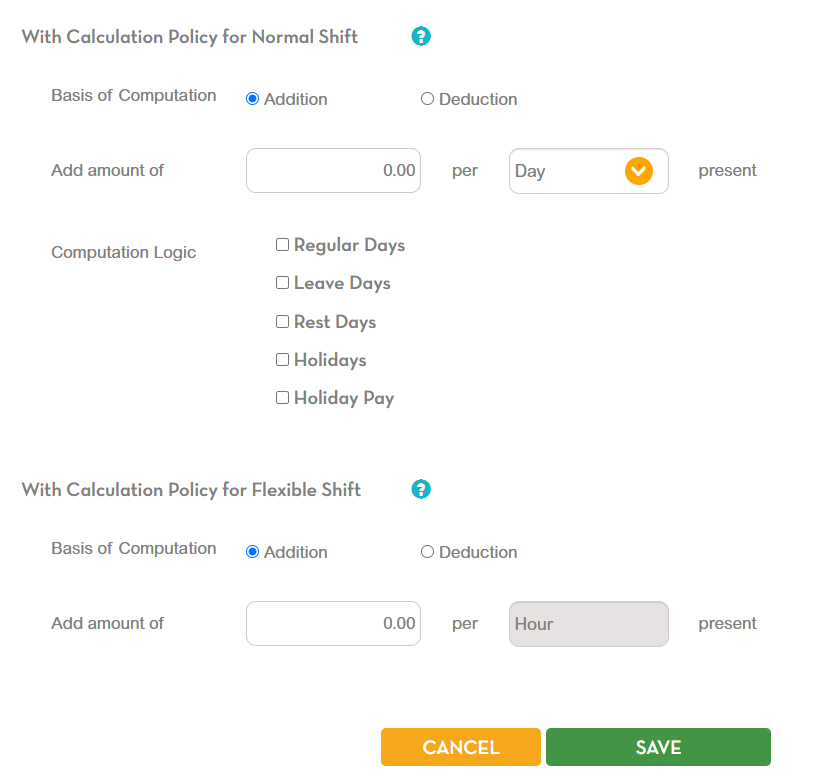
7. A confirmation message will appear asking, “Submit benefits?” — Click YES to proceed. 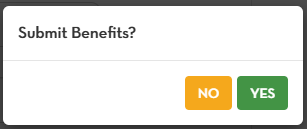
8. Once the process is completed, another message will appear stating “Benefit successfully created.” — Click OK to finalize. 
? Tip: Review all entries and rules before saving to ensure accurate setup and proper inclusion in payroll computation.