
The Fund Request Form allows employees to submit payroll-related requests—such as reimbursements, cash advances, or loans—directly through the Request module for proper documentation, controlled approval workflows, and accurate payroll adjustments.
Steps to File a Funds Request Form:
Click the profile icon in the upper-right corner of the page.
Select HRIS from the dropdown menu.

Go to Requests then click the Add (+) button

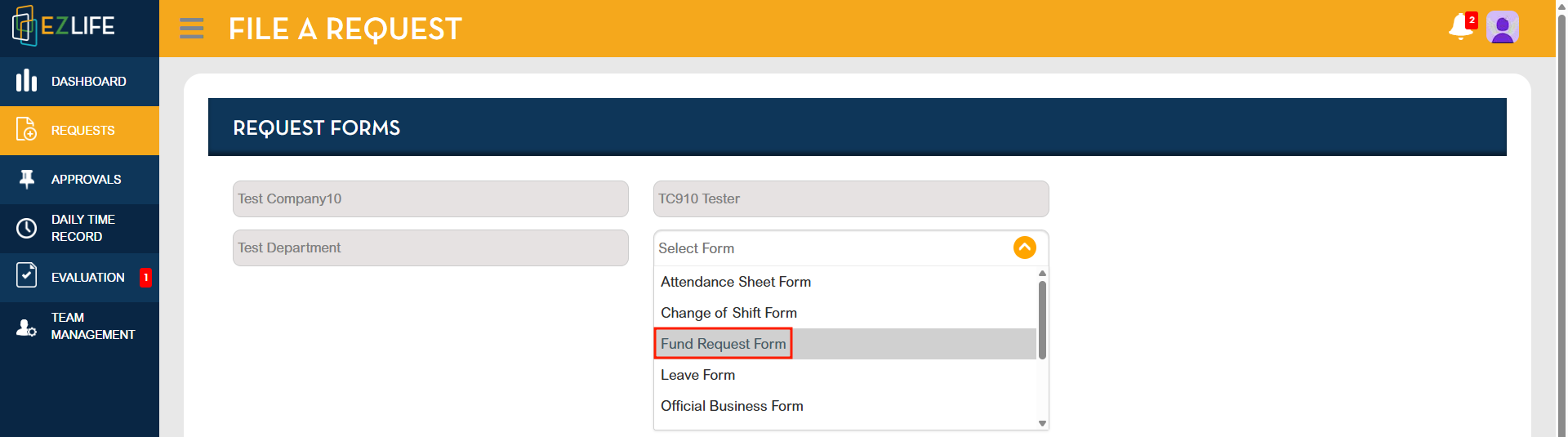
Select Funds Request Form
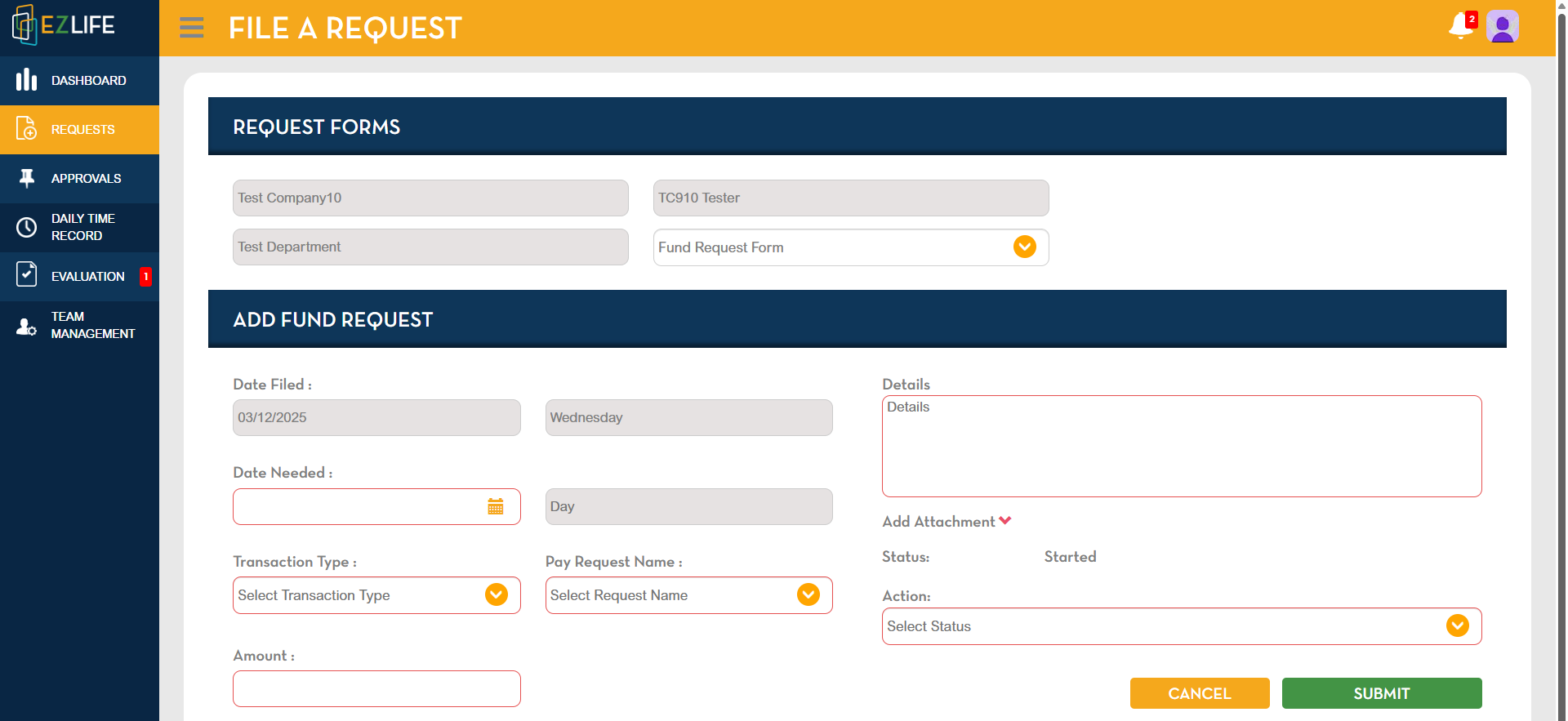
Enter all the required details (Note: Fields highlighted in red are required.)
Add attachments if supporting documents are needed.
Choose the appropriate action/status.
Click Submit to send the request for approval.
Form Logic (Automatic System Behavior)
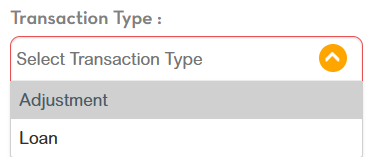
If “Adjustment” is selected, the system will classify the request as an Addition.
If “Loan” is selected, the system will classify the request as a Deduction.
All Funds Requests will apply to “Adjustment After Tax” only.
Summary
The Funds Request Form provides a quick and organized way for employees to submit payroll adjustment requests. After completing the form and attaching relevant documents, the system routes the request through the assigned workflow. Upon approval, an Adjustment document is automatically generated.
Notes & Reminders
Fields highlighted in red are required before submission.
Approval routing depends on the workflow assigned to your role.
Attach only valid and clear supporting documents when needed.
Approved requests automatically create an Adjustment document in the system.